MICR Font Set7.8
Publisher Description
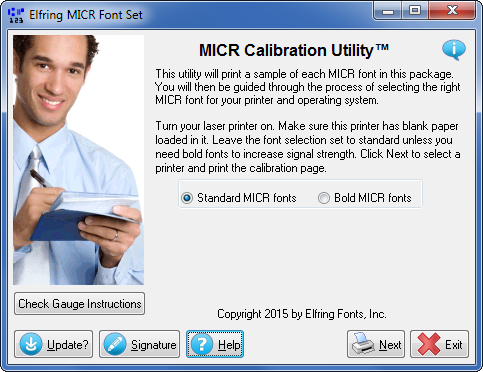
Print MICR / E13-B encoding on your checks with any laser printer using Windows TrueType or PostScript fonts. The bottom sequence of numbers on a check must be printed in a special font called MICR or E-13B. This font includes the numbers 0 through 9 and four special characters: On-Us, Transit, Amount, and Dash.
MICR printing can be done on any laser printer, provided you purchase a special magnetic toner cartridges for it. Note that MICR printing must be exceedingly accurate. This package includes a number of variations of the MICR font (E-13B), plus instructions and calibration routines to ensure the checks you print will work at your bank. All fonts are designed to meet ANSI standard X9.100-160-1-2009, X9.27-1995, and the Canadian CPA 006 standards. The calibration program also includes MICR Check Position Guage support.
When printing checks, you also need a secure way way to print the amount and name of the person the check is payable to. This package also includes eight different Secure Fonts. They let you print payee names and check amounts in dollars, pounds sterling, euros, or the yen that are very hard to alter.
All fonts come in Windows TrueType and PostScript formats. Note: Optio software users need our LaserJet PCL version, not the TrueType version.
About MICR Font Set
This Accounting & Finance program is available in English. It was last updated on 29 September, 2026. MICR Font Set is compatible with the following operating systems: Windows.
The company that develops MICR Font Set is Elfring Fonts Inc. The latest version released by its developer is 7.8. This version was rated by 18 users of our site and has an average rating of 4.2.
The download we have available for MICR Font Set has a file size of 3.1 MB. Just click the green Download button above to start the downloading process. The program is listed on our website since 2012-08-30 and was downloaded 4,180 times. We have already checked if the download link is safe, however for your own protection we recommend that you scan the downloaded software with your antivirus. Your antivirus may detect the MICR Font Set as malware if the download link is broken.
How to install MICR Font Set on your Windows device:
- Click on the Download button on our website. This will start the download from the website of the developer.
- Once the MICR Font Set is downloaded click on it to start the setup process (assuming you are on a desktop computer).
- When the installation is finished you should be able to see and run the program.
Program Details
System requirements
Download information
Pricing
Version History
version 7.8
posted on 2012-08-30
Updated for 2012 American and Canadian stanadards. Now includes MICR gauge support.
version 3.4
posted on 2005-11-11
PostScript fonts, improved calibration, better calibration
